GTA Style Photo Prompt
GTA Style Photo Prompt ChatGPT: The concept of GTA Style Photo Prompt ChatGPT Trending is simple: you copy a creative photo prompt, paste it into Gemini AI, and instantly get a professional-quality image. It’s fast, free, and perfect for those who want to boost their social presence. From portraits to fashion shots, this tool transforms imagination into reality. Many users are also exploring GTA Style Photo Prompt ChatGPT free and GTA Style Photo Prompt download options to easily access and save AI-generated masterpieces for their feeds.
One of the most loved variations of this trend includes the GTA AI Prompt, where AI creates soft, romantic portraits with aesthetic rose backgrounds. Similarly, creators are experimenting with GTA Style Photo Prompt to design adorable, lifelike baby portraits that win hearts online.
Whether you want to showcase style, emotion, or storytelling through visuals, the GTA 6 Style Photo Prompt trend is your secret to going viral. It’s not just about photos — it’s about expressing creativity with AI precision.
GTA 6 AI Prompt
 Download Image
 Download Image
GTA 6 AI Prompt
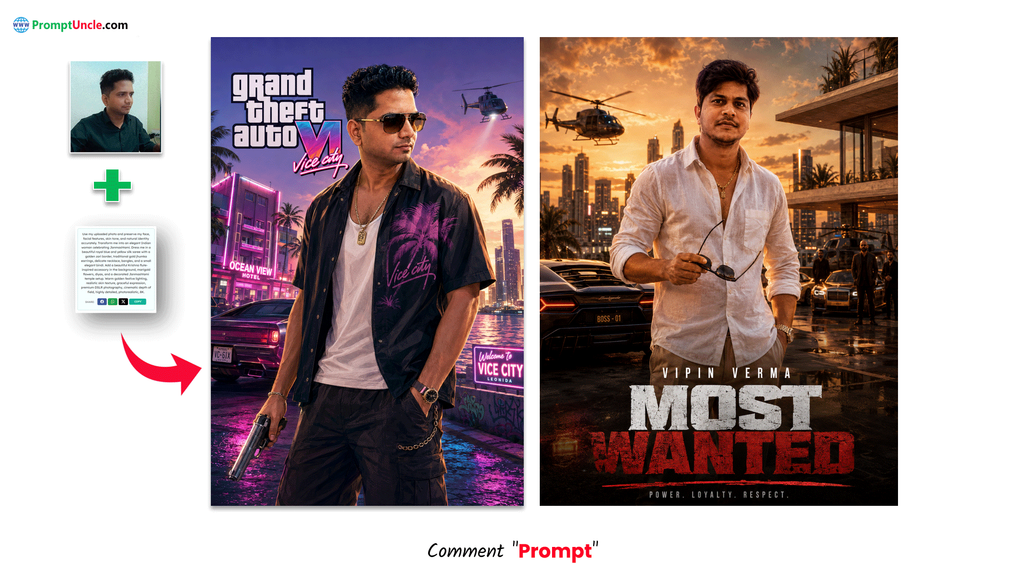
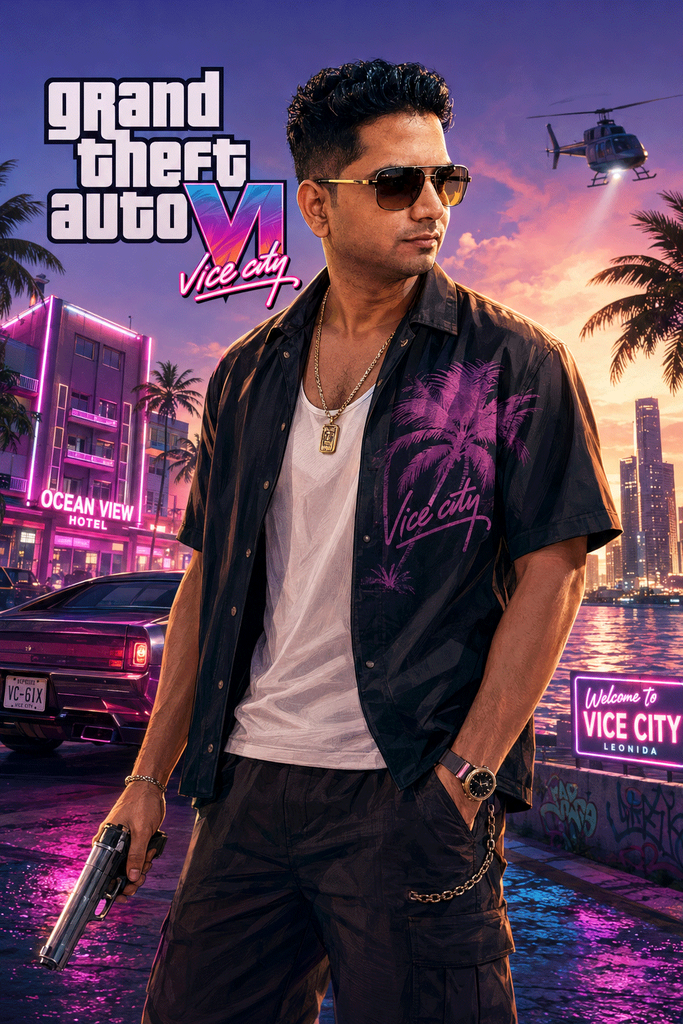
Transform this photo into a GTA 6 style criminal protagonist, sharp facial features, confident and dangerous expression, detailed streetwear outfit, holding handgun, Vice City background, official GTA 6 character art style, vibrant colors, cel-shaded details, high fidelity to reference face.
 Download Image
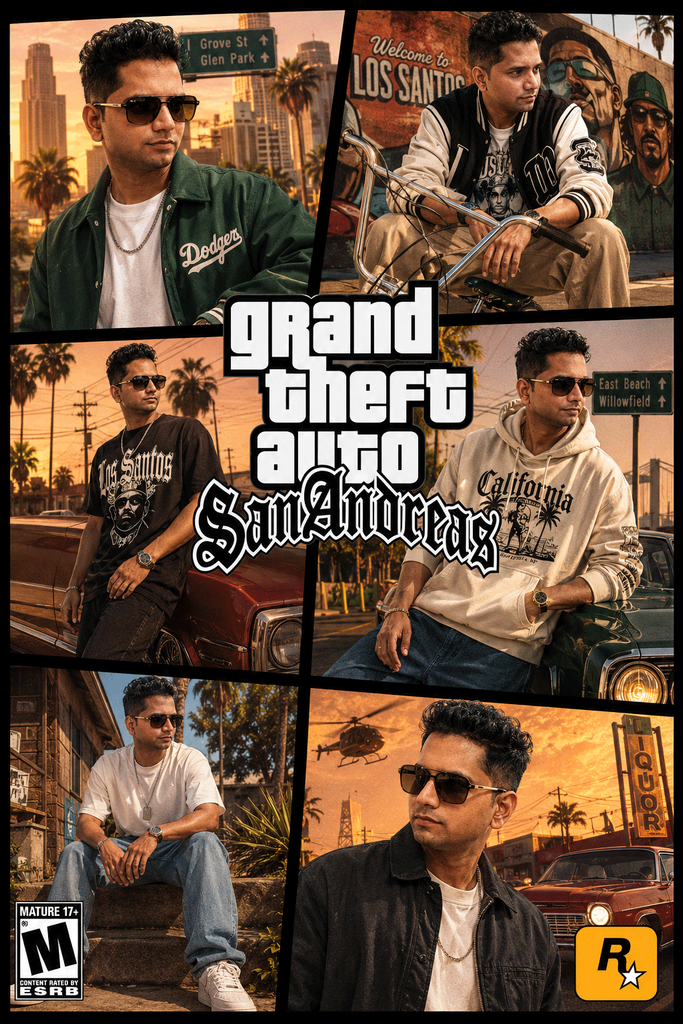
GTA San Andreas prompt Prompt
Create a high-detail portrait game cover inspired by the visual identity and atmosphere of Grand Theft Auto: San Andreas. The design should strongly capture the iconic urban, street-life, and cinematic aesthetic associated with the game, while still feeling fresh, modern, and visually premium. Add authentic game-cover elements such as bold typography, layered graphic ornaments, gritty textures, urban decorative details, stylized framing, dramatic lighting, and visual accents that match the classic GTA San Andreas cover style.
The composition must be arranged in a 6-panel layout, similar to a dynamic collage-style game cover. Each panel should feature the same subject in different poses and camera angles, with every pose feeling unique, expressive, and highly cinematic. Avoid poses that look identical or too close to the reference image. The character must appear naturally confident, energetic, stylish, and charismatic, with expressive body language and facial expressions that feel alive and immersive. Do not make the subject look stiff, awkward, flat, or emotionless. Every pose should feel like an international fashion model mixed with the attitude and swagger of a GTA San Andreas character.
The subject’s fashion styling should use modern casual streetwear with strong visual variety. Combine stylish contemporary outfits with different colors, materials, patterns, layers, and accessories so the wardrobe never feels repetitive or monotonous. The clothing should feel fashionable, trendy, youthful, and premium while still fitting naturally into the gritty urban atmosphere of the game world. Include details such as jackets, oversized streetwear, layered outfits, chains, watches, sneakers, rings, sunglasses, or other fashionable accessories that enhance the character’s personality.
The overall artwork should use a highly polished 3D visual style with realistic textures, cinematic shadows, dramatic highlights, and high-end rendering quality. The cover should feel like an official AAA game promotional artwork with a strong sense of depth, atmosphere, and storytelling. Use dynamic composition, stylish perspective angles, and immersive environmental details inspired by the world of GTA San Andreas, while maintaining originality and avoiding direct copying of existing official cover poses.
Final result must be ultra-detailed, visually striking, cinematic, professional-quality, and rendered in ultra high resolution 8K. Humanity’s eternal hobby: turning crime simulators into accidental fashion editorials. Somehow it works every single time.
 Download Image
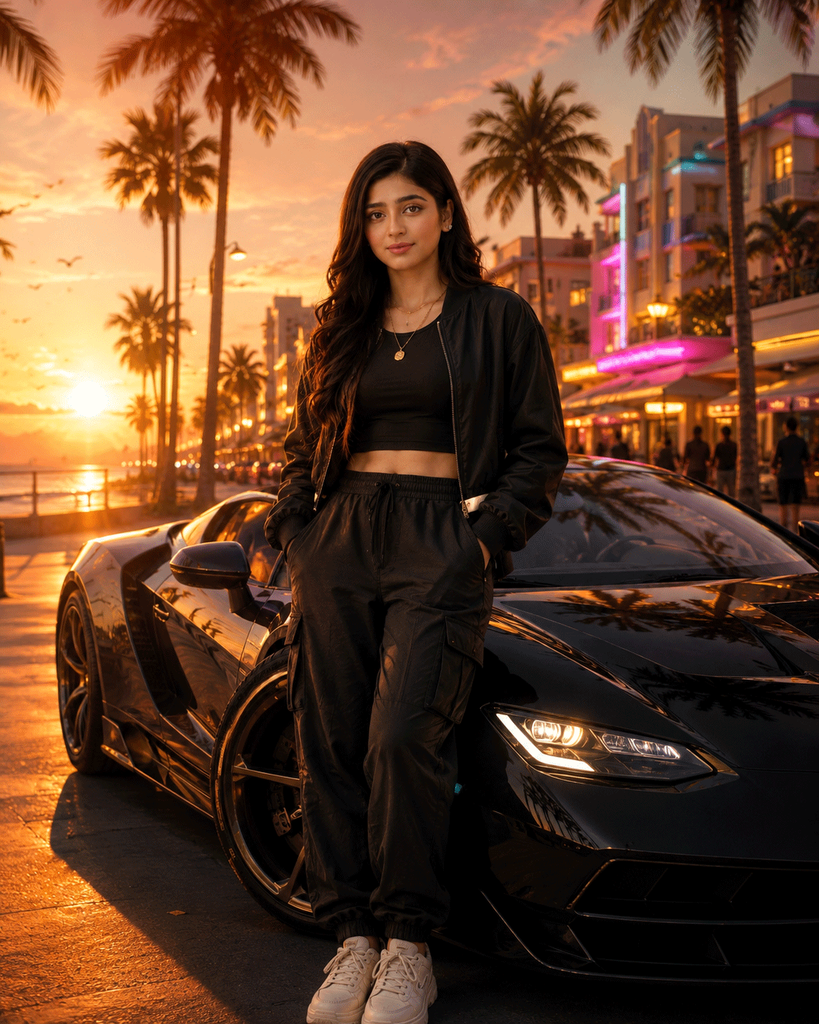
GTA Female Character Prompts
Use uploaded female portrait.
Pose:
Standing beside a sports car.Outfit:
Luxury street fashion.Background:
Beach boulevard, palm trees, luxury hotels.Lighting:
Golden sunset.Mood:
Confident, fearless, premium game heroine.1080×1350
Make it in Rockstar Games quality, AAA production value, GTA VI inspired visual style, next generation open world game engine look, ultra realistic cinematic key art with premium character design, without using any official Rockstar Games logos, trademarks, or copyrighted artwork.
 Download Image
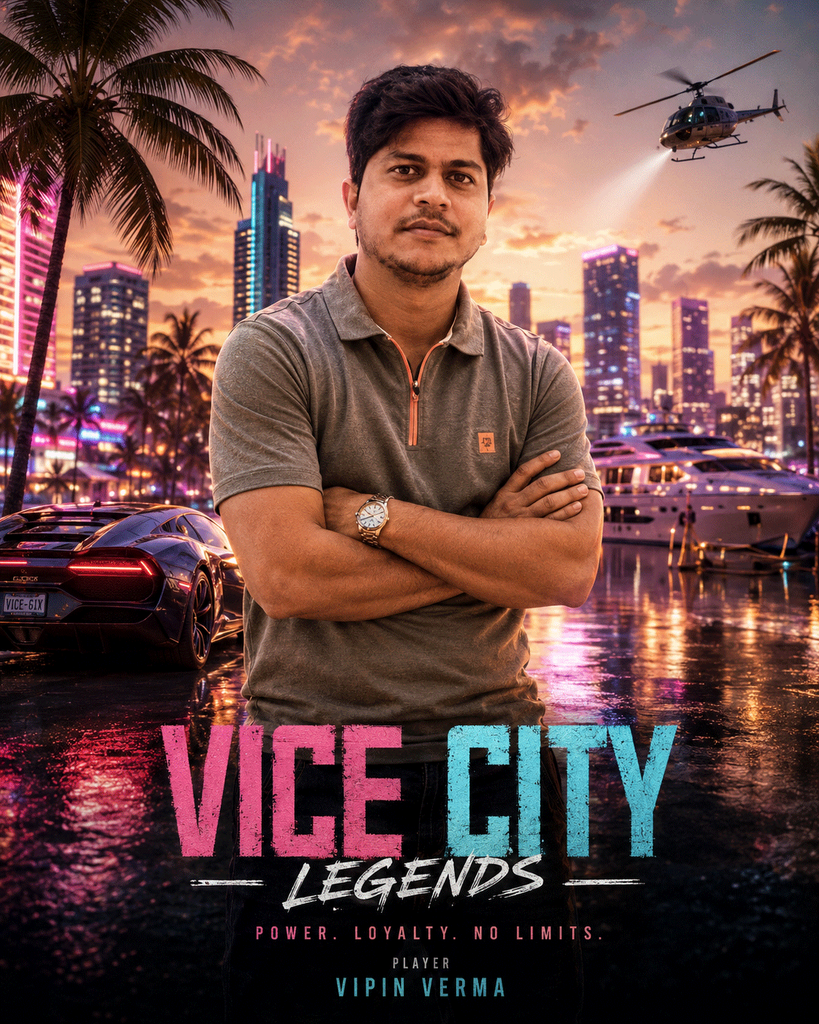
GTA Vice City prompt
Create a cinematic AAA open world crime game poster using the uploaded person as the main protagonist. Preserve the face, hairstyle, body type, and outfit details unless changed below.
Character Style:
Confident, fearless, premium action game hero.Pose:
Standing with folded arms, looking slightly left, relaxed but dominant stance.Background:
Luxury marina, neon skyline, palm trees, sunset, expensive yachts, sports cars, reflections on wet streets.Lighting:
Golden hour mixed with neon pink and cyan rim lighting.Style:
Ultra realistic, Unreal Engine 5 quality, ray tracing, volumetric lighting, cinematic depth of field, high detail skin, premium game key art.Text:
Title: [GAME TITLE]
Subtitle: [TAGLINE]
Player Name: [PLAYER NAME]Composition:
Vertical poster, centered subject, negative space for title.Size:
1080×1350Make it in Rockstar Games quality, AAA production value, GTA VI inspired visual style, next generation open world game engine look, ultra realistic cinematic key art with premium character design, without using any official Rockstar Games logos, trademarks, or copyrighted artwork.
 Download Image
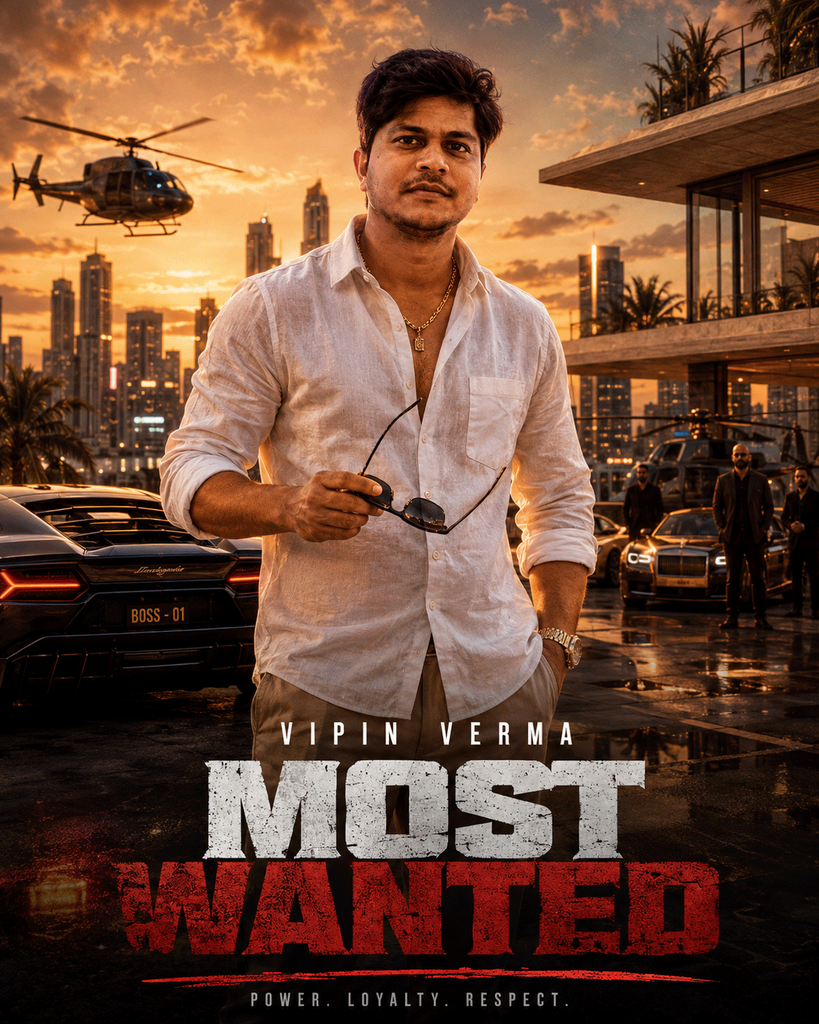
GTA 6 Prompt Gemini
Use the uploaded person as an elite underground crime boss.
Expression:
Serious, confident.Pose:
Holding sunglasses with one hand, expensive watch visible.Outfit:
Luxury linen shirt, gold chain, designer pants.Background:
Downtown skyline, luxury penthouse, helicopters, exotic cars.Mood:
Dangerous, wealthy, mysterious.Color Palette:
Orange sunset, teal shadows.Typography:
[PLAYER NAME]
“Most Wanted”AAA game cover quality.
1080×1350
Make it in Rockstar Games quality, AAA production value, GTA VI inspired visual style, next generation open world game engine look, ultra realistic cinematic key art with premium character design, without using any official Rockstar Games logos, trademarks, or copyrighted artwork.
 Download Image
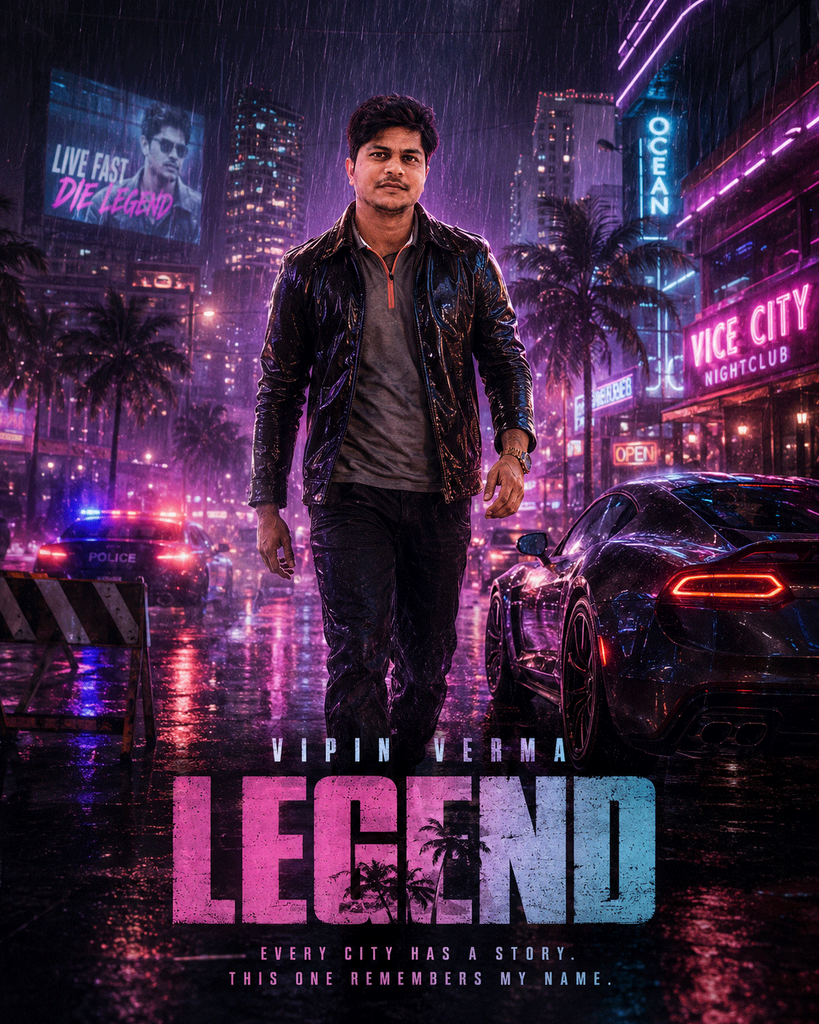
GTA poster prompt
Turn the uploaded person into the main character of a premium open world action game.
Pose:
Walking toward camera.Background:
Rain soaked neon streets, clubs, sports cars, police lights, glowing billboards.Lighting:
Purple, cyan, magenta.Effects:
Rain droplets, cinematic smoke, reflections.1080×1350
Make it in Rockstar Games quality, AAA production value, GTA VI inspired visual style, next generation open world game engine look, ultra realistic cinematic key art with premium character design, without using any official Rockstar Games logos, trademarks, or copyrighted artwork.
 Download Image
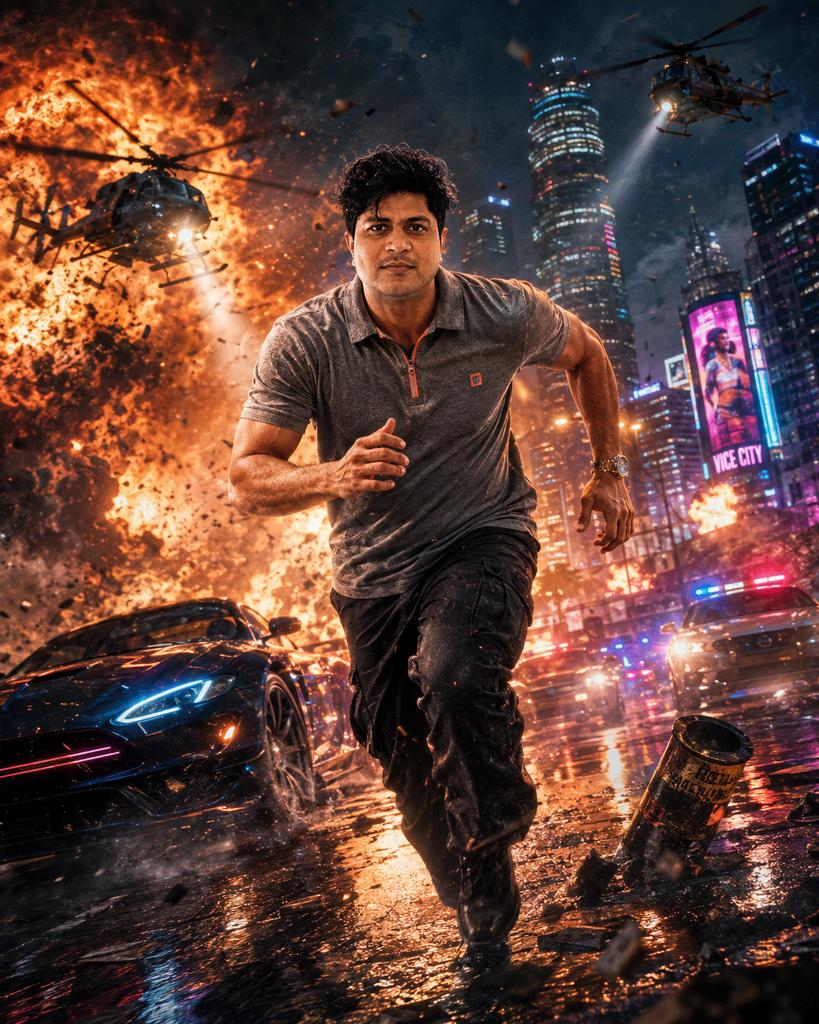
GTA transformation prompt
Use uploaded image.
Pose:
Running toward camera.Background:
Explosions, helicopters, sports cars drifting, smoke.Effects:
Flying debris, cinematic fire, motion blur.Lighting:
Orange fire mixed with blue city lights.Game Poster.
1080×1350
Make it in Rockstar Games quality, AAA production value, GTA VI inspired visual style, next generation open world game engine look, ultra realistic cinematic key art with premium character design, without using any official Rockstar Games logos, trademarks, or copyrighted artwork.
 Download Image
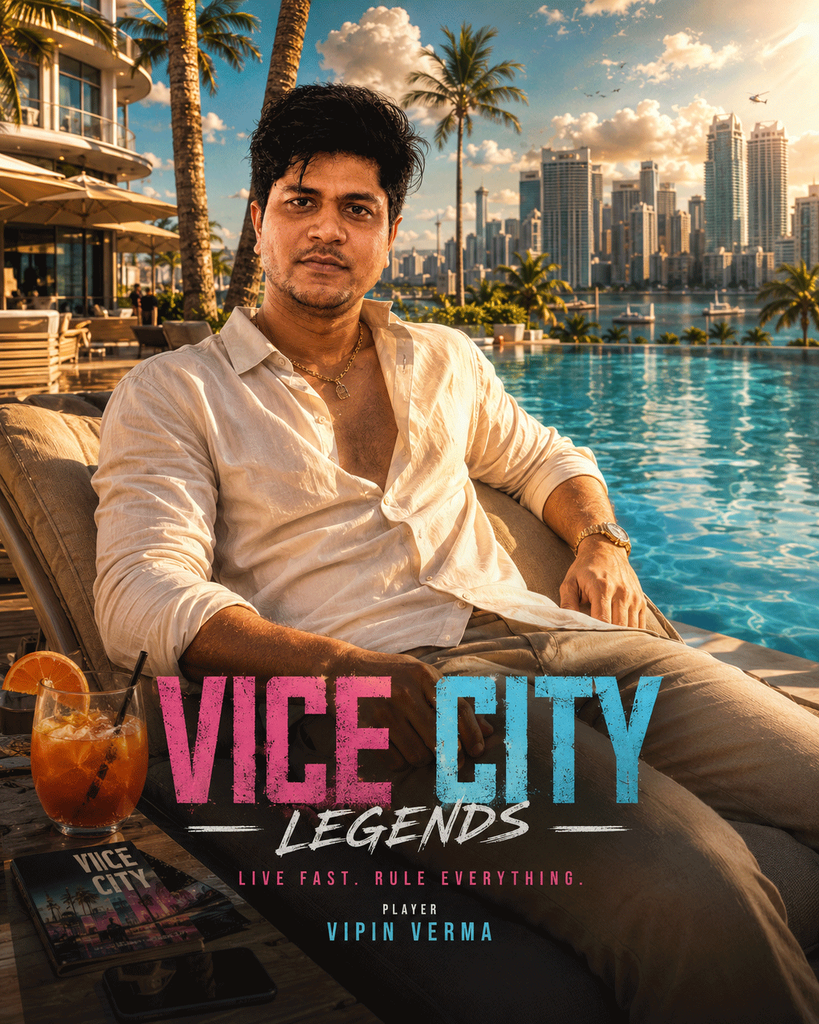
GTA selfie prompt
Keep uploaded face.
Pose:
Relaxing beside luxury pool.Background:
Luxury hotel, skyline, cocktails, palm trees.Style:
Expensive vacation, cinematic realism.Lighting:
Bright summer afternoon.Game Cover Quality.
1080×1350
Make it in Rockstar Games quality, AAA production value, GTA VI inspired visual style, next generation open world game engine look, ultra realistic cinematic key art with premium character design, without using any official Rockstar Games logos, trademarks, or copyrighted artwork.
 Download Image
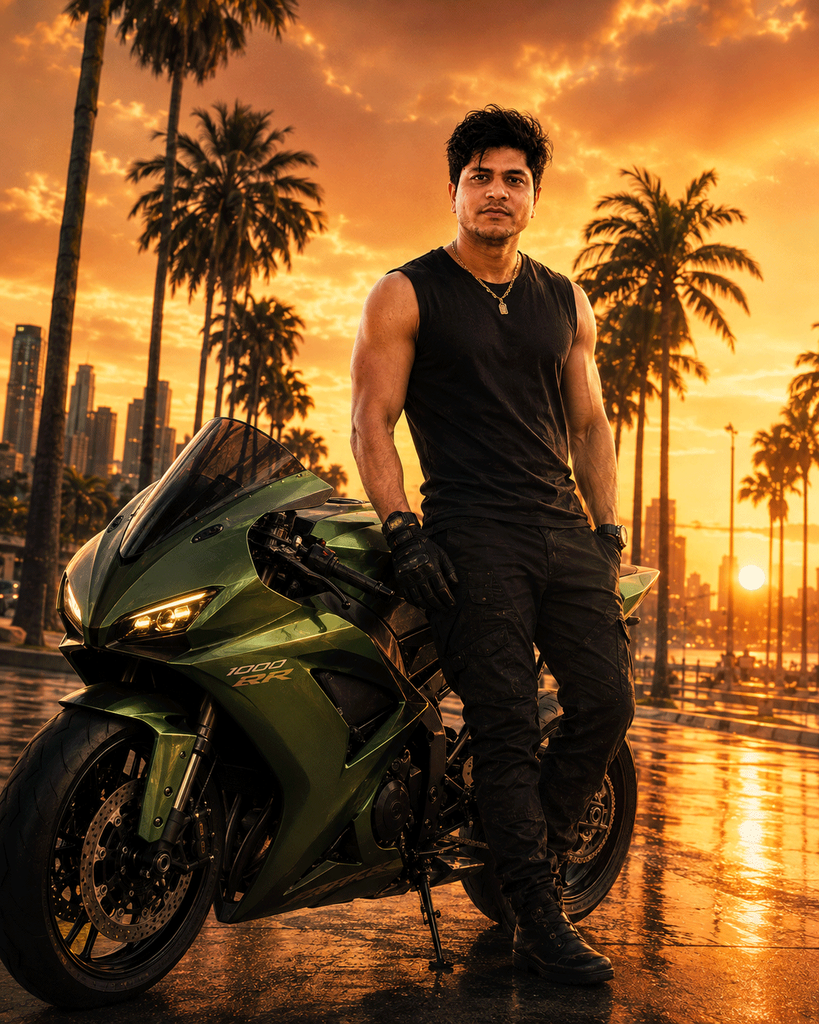
GTA Bike Prompt
Uploaded image becomes premium superbike rider.
Pose:
Standing beside matte green superbike.Background:
Palm lined road, sunset.Outfit:
Sleeveless black shirt, tactical gloves.Mood:
Confident.Game Poster.
1080×1350
Make it in Rockstar Games quality, AAA production value, GTA VI inspired visual style, next generation open world game engine look, ultra realistic cinematic key art with premium character design, without using any official Rockstar Games logos, trademarks, or copyrighted artwork.
 Download Image
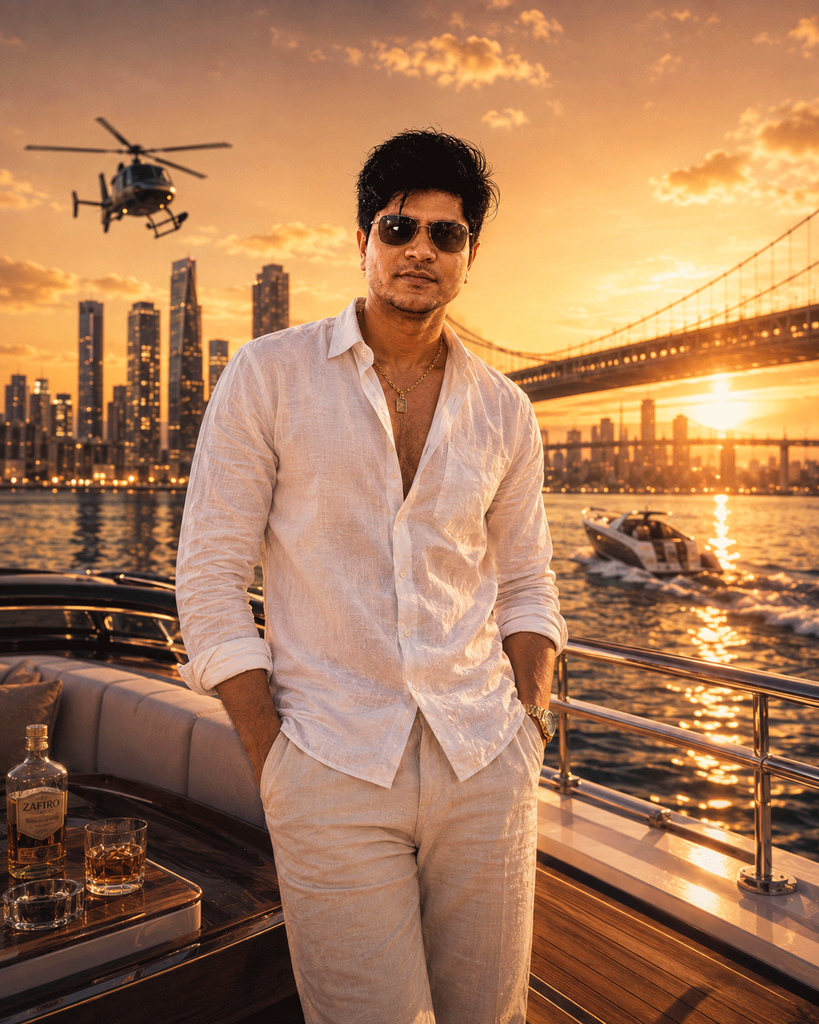
GTA gangster prompt
Keep uploaded face.
Pose:
Standing on luxury yacht.Background:
Golden sunset, skyline, bridge, ocean.Outfit:
White linen shirt, sunglasses.Mood:
Luxury crime empire.Game Quality:
Ultra realistic.1080×1350
Make it in Rockstar Games quality, AAA production value, GTA VI inspired visual style, next generation open world game engine look, ultra realistic cinematic key art with premium character design, without using any official Rockstar Games logos, trademarks, or copyrighted artwork.
 Download Image
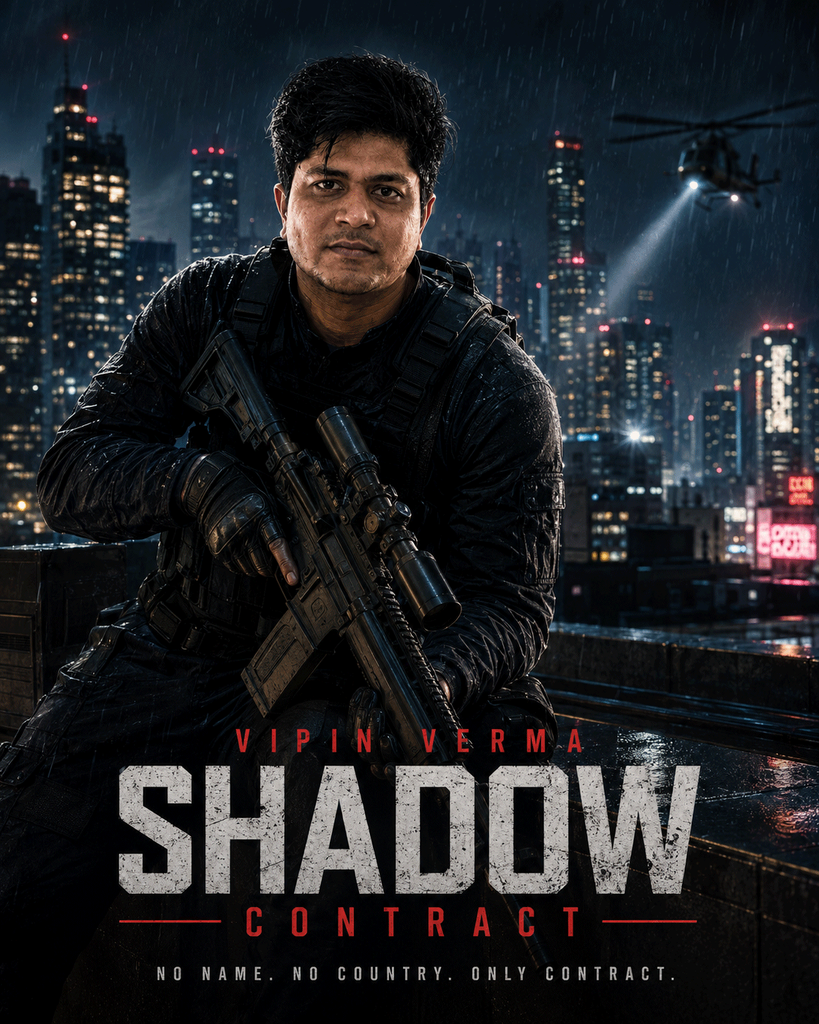
GTA Game Character Prompt
Uploaded person becomes elite covert operative.
Pose:
Holding a scoped rifle in a tactical position.Background:
City rooftop at night, skyline, dramatic lighting.Mood:
Serious, cinematic.Game Poster.
Name:
[PLAYER NAME]Title:
Shadow Contract1080×1350
Make it in Rockstar Games quality, AAA production value, GTA VI inspired visual style, next generation open world game engine look, ultra realistic cinematic key art with premium character design, without using any official Rockstar Games logos, trademarks, or copyrighted artwork.
What Is GTA style photo prompt Trending Instagram?
This year, a new creative wave has taken over social media — the GTA style photo prompt trend. This popular concept is all about using AI-generated photo prompts to create stunning, lifelike portraits for Instagram that look professional, aesthetic, and completely original. But what exactly does it mean? Let’s break it down.
The GTA style photo prompt trend started when creators began experimenting with Google’s Gemini AI, a next-generation artificial intelligence tool capable of producing hyper-realistic photos. Users simply “copy” a photo prompt — a short descriptive text like “handsome boy in street light with cinematic background” — then “paste” it into Gemini AI. Within seconds, the AI generates a flawless, high-quality portrait ready to post on Instagram.
This “copy-paste” method is quick, free, and doesn’t require any editing experience. It’s perfect for influencers, photographers, and everyday users who want eye-catching content without hours of photo editing. Many creators also explore variations like GTA style photo prompt, GTA prompt ChatGPT, GTA 6 prompt Gemini, Gta prompt generator, GTA 6 prompt #chatgpt, GTA style photo prompt, GTA Vice City prompt and even GTA San Andreas prompt, where AI adds artistic or romantic touches.
The best part? Every generated image feels authentic — capturing emotion, lighting, and detail in ways traditional filters can’t match. Whether you want a stylish portrait, a soft rose-themed shot, or a cinematic Instagram post, 1980s photo prompt ChatGPT lets you bring your imagination to life effortlessly.
In short, this trend blends creativity and technology — helping every user turn simple prompts into viral, professional-quality Instagram photos in seconds.
How to Create Images in ChatGPT AI (Complete Guide Updated)
- Open the ChatGPT Realistic image generator (web, app, or API) and access the image generation tool.
- Start a new Gemini prompt for image generation. Craft a descriptive sentence or paragraph outlining what image you want to create. Example: “A photorealistic close-up of a tiger in a misty jungle at sunrise, soft golden light, dew on plants, expressive, intense eyes.”
- Mention important details in the Google AI Studio image generation tool: subject, setting, mood, lighting, desired style (realistic, cartoon, sticker, painting), and aspect ratio.
- For prompt-based editing, upload an original image and add clear instructions, such as “add vintage sunglasses” or “change background to Paris at night.”
- For advanced users, use templates: “A [description] of [subject], [action/expression], set in [environment], illuminated by [lighting], [mood], captured with [camera details], [aspect ratio].”
- Choose your preferred format or resolution (4K, square, vertical).
- Click “Generate.” Gemini will process your prompt and display your new image.
- Download, save, or continue to iterate; refine your prompt for variations in style, pose, colour, or background.
- If you want a video, go to the Gemini AI video generator and convert an image to a Gemini AI video.
Pro Tips for GTA style photo prompt ChatGPT Instagram
Want your Gemini AI portraits to look ultra-realistic and visually striking? These expert tips will help you refine your AI photo prompts and editing techniques so that every image looks professional and authentic.
🎨 1. Describe Every Detail Clearly
- When writing prompts, be precise. Mention lighting types like window light, rim lighting, or golden-hour glow. Include outfit style, facial expressions, and mood. The more detailed your description, the more lifelike your Gemini AI portrait will appear.
📷 2. Add Real Camera Settings
- To achieve a professional finish, include photography terms such as “85mm lens at f/1.8 aperture” or “studio DSLR lighting setup.” These clues help Gemini AI replicate true-to-life camera depth and focus effects.
🌈 3. Play With Atmosphere and Angles
- Don’t settle for one version. Modify your prompt by changing background tones, light color, or camera angle. This approach lets you produce multiple portrait styles—bright outdoor shots, moody interiors, or cinematic frames—from a single image.
😊 4. Keep Your Natural Features Intact
- If you’re generating your own portraits, ask Gemini AI to preserve your real facial features. This keeps your AI photos authentic and recognisable, especially if you plan to use them for social media or professional branding.
🖼 5. Experiment With Framing and Composition
- Test different aspect ratios: vertical (3:4) for Instagram, square (1:1) for profile photos, or cinematic (16:9) for banners and thumbnails. Composition variety adds visual interest to your Gemini AI copy-paste portraits.
✨ 6. Perfect the Final Look
- After image generation, use Gemini’s built-in editing tools to fine-tune brightness, contrast, and colour filters. A little post-processing polish can elevate your portrait from good to truly stunning.
| GTA prompt ChatGPT | GTA 6 prompt Gemini |
| Gta prompt generator | GTA 6 prompt #chatgpt |
| GTA style photo prompt | GTA Vice City prompt |
| GTA San Andreas prompt | GTA style photo prompt |
| GTA AI prompt | GTA photo prompt |
| GTA 5 AI prompt | GTA 6 AI prompt |
| GTA character prompt | GTA style AI prompt |
| GTA poster prompt | GTA loading screen prompt |
| GTA wanted poster prompt | GTA selfie prompt |
| GTA couple prompt | GTA gangster prompt |
| GTA car prompt | GTA Bike Prompt |
| GTA screenshot prompt | GTA game character prompt |
| GTA AI image prompt | GTA cinematic prompt |
| GTA profile picture prompt | GTA transformation prompt |
| GTA realistic prompt |
Also read | Radha Rani Prompt for Gemini Ai Photo Editing
Also read | Janmashtami Prompt for Women Copy-Paste
Trending Post | Learn Any Language with Chat GPT (8 Powerful Prompts)
Trending Post | 1980s Photo Prompt ChatGPT Trending Instagram